


gRDV Booking
Documentation
Einstieg
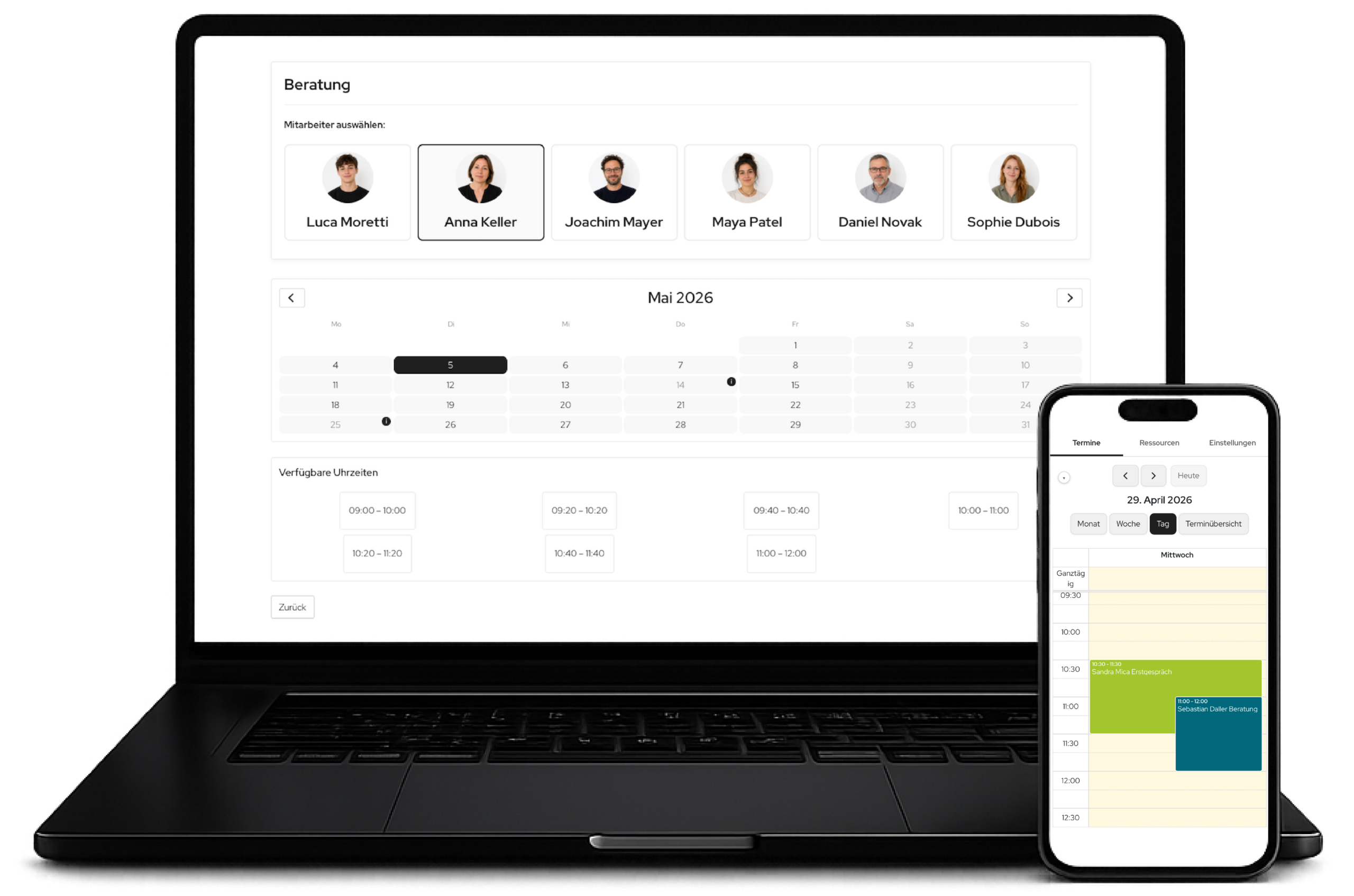
gRDV Booking is a WordPress plugin for scheduling appointments directly on your own website.
Visitors can:
- Select an appointment type
- Choose a date
- Book an available time slot
All bookings are stored and managed in WordPress. The system runs entirely on your own infrastructure, with no external platform required.
- WordPress 6.2 or later
- PHP 8.1 or later
- Permission to install plugins
Optional: a Stripe account for online payments
Getting started
➔ Upload the plugin or install it through WordPress
➔ Activate it
➔ Open the “gRDV Booking” menu
The form is embedded using a shortcode:
[gr_booking]
You can optionally use parameters:
type → preselect a specific appointment type
resource → preselect a specific resource
integration="popup" → display as a pop-up
trigger → define the button trigger
button_text → customise the button text
You can target appointment types or resources directly through the URL:
?type=beratung

?resource=max-mustermann
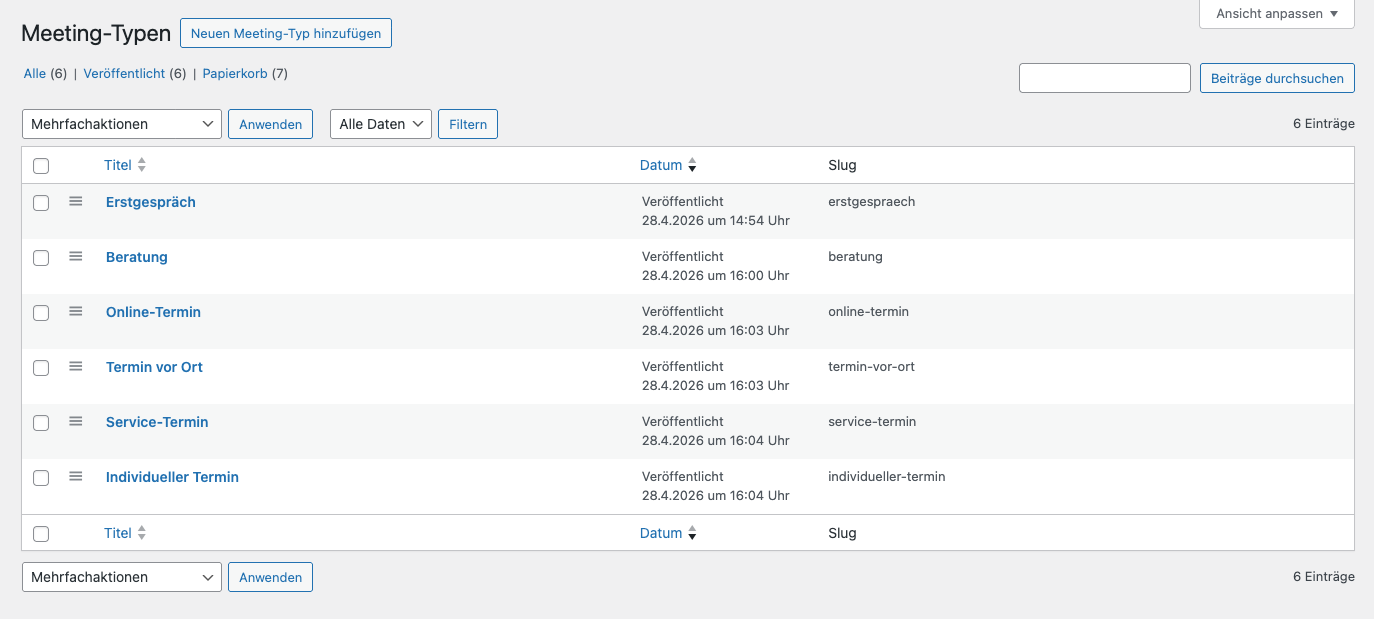
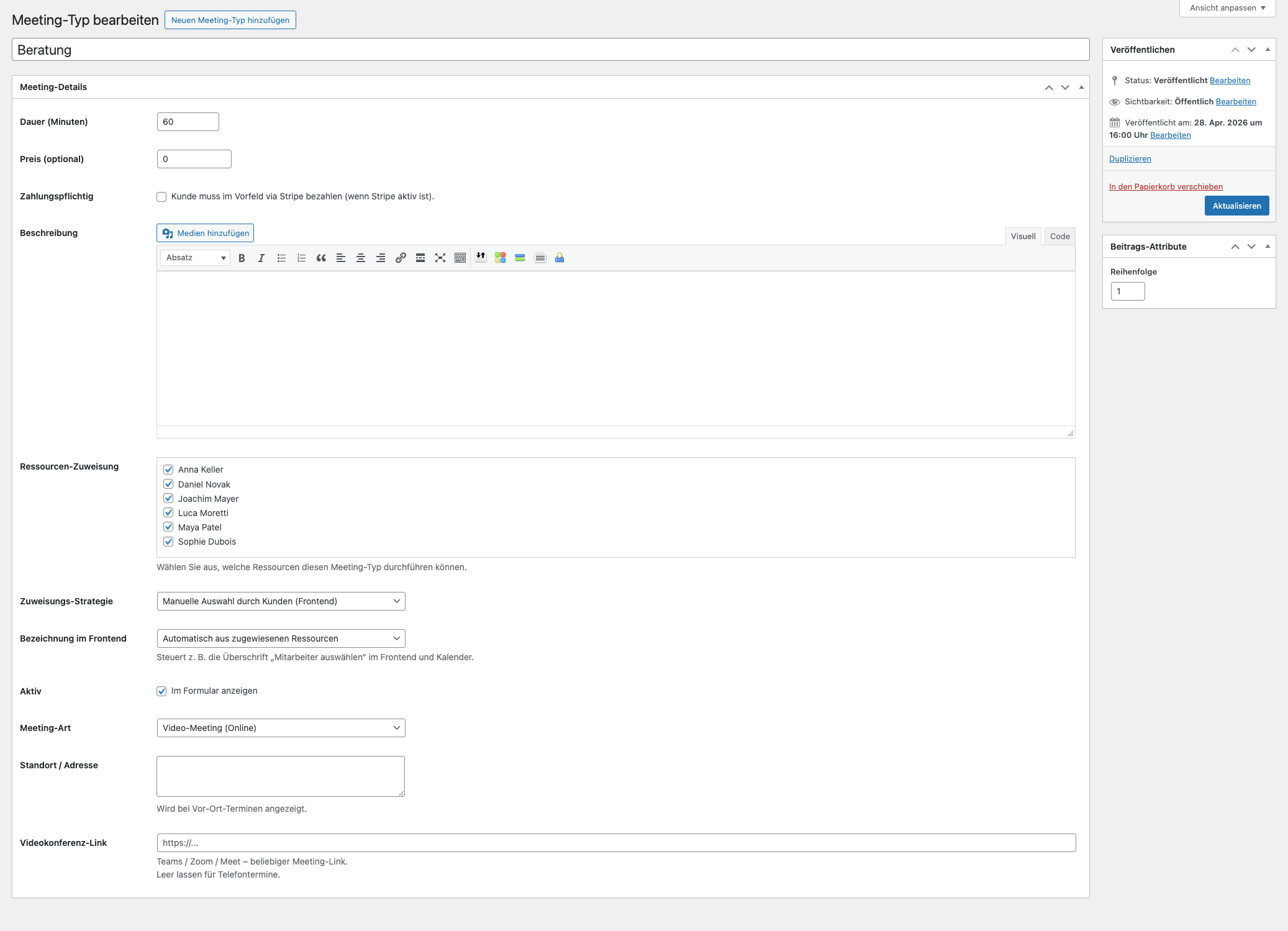
Appointment types
Examples:
- Consultation
- Initial appointment
- Service appointment
- Duration
- Description
- Price (optional)
- Assigned resources
- Booking logic
Resources
These can include:
- Staff members
- Teams
- Departments
- Rooms
- Equipment
Appointment types can be assigned to resources.
Optional:
- Automatic assignment
- Manual selection by the customer
Before each booking, availability is checked on the server. It is calculated automatically based on:
- Working hours
- Absences
- Existing bookings
- Appointment duration
- Lead times
- Post-appointment buffers


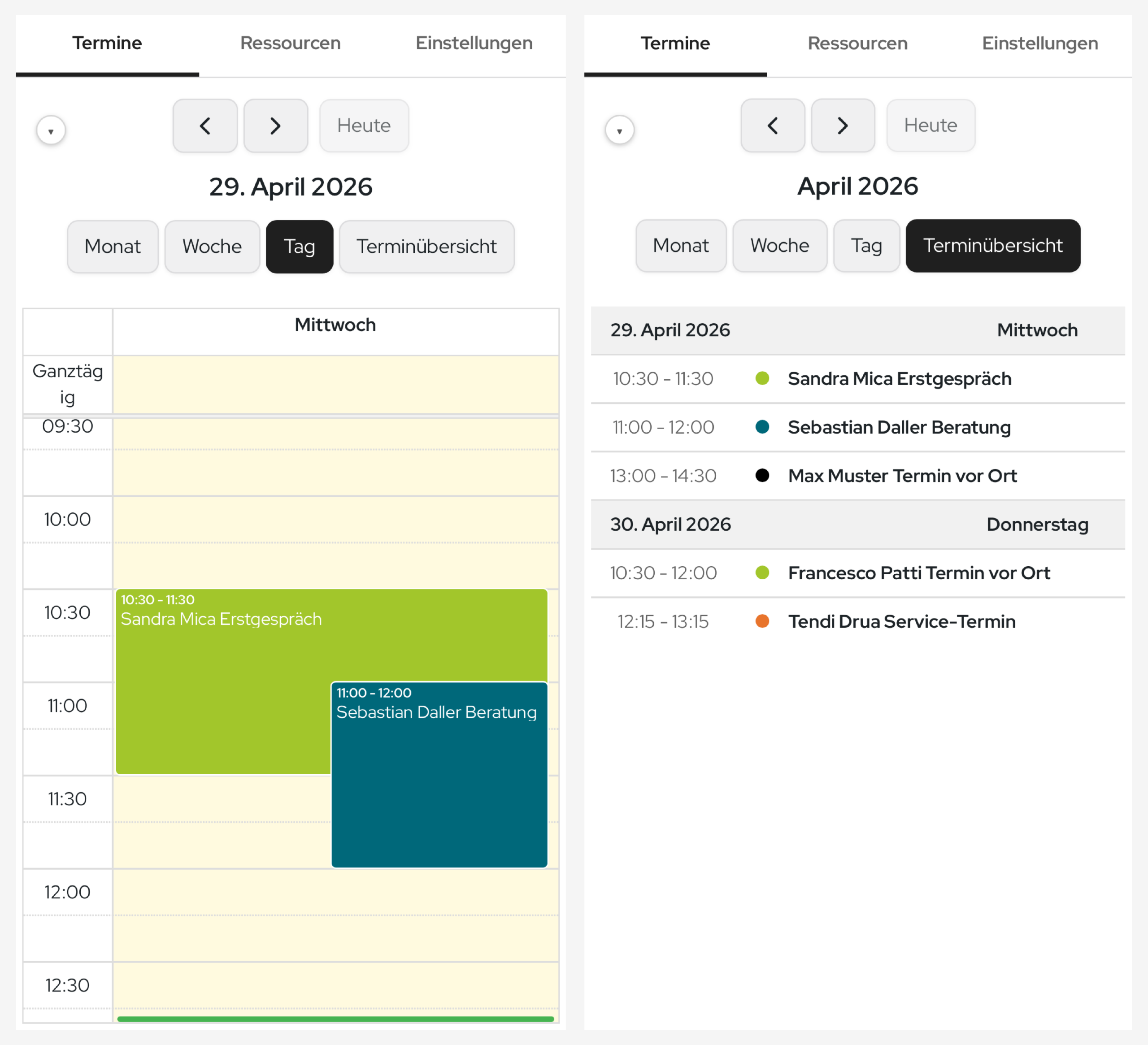
Calendar
- Overview of all bookings
- Display by resource
- Edit, reschedule and delete
- Access through a dedicated URL
- Optimised for mobile use
- Token-based access
ICS / Webcal
gRDV Booking supports external calendars through ICS/Webcal.
This means:
- External events can be treated as availability blockers
- Calendars can be exported
No direct Google Calendar API synchronisation is required. To minimise data transfer, Google, Apple and Outlook calendars are connected through ICS links.

- To the customer
- To administrators
- Optionally to resources
- Standard email
- Essential content
- Custom subject lines
- Custom templates
- Customisable signatures

Payments
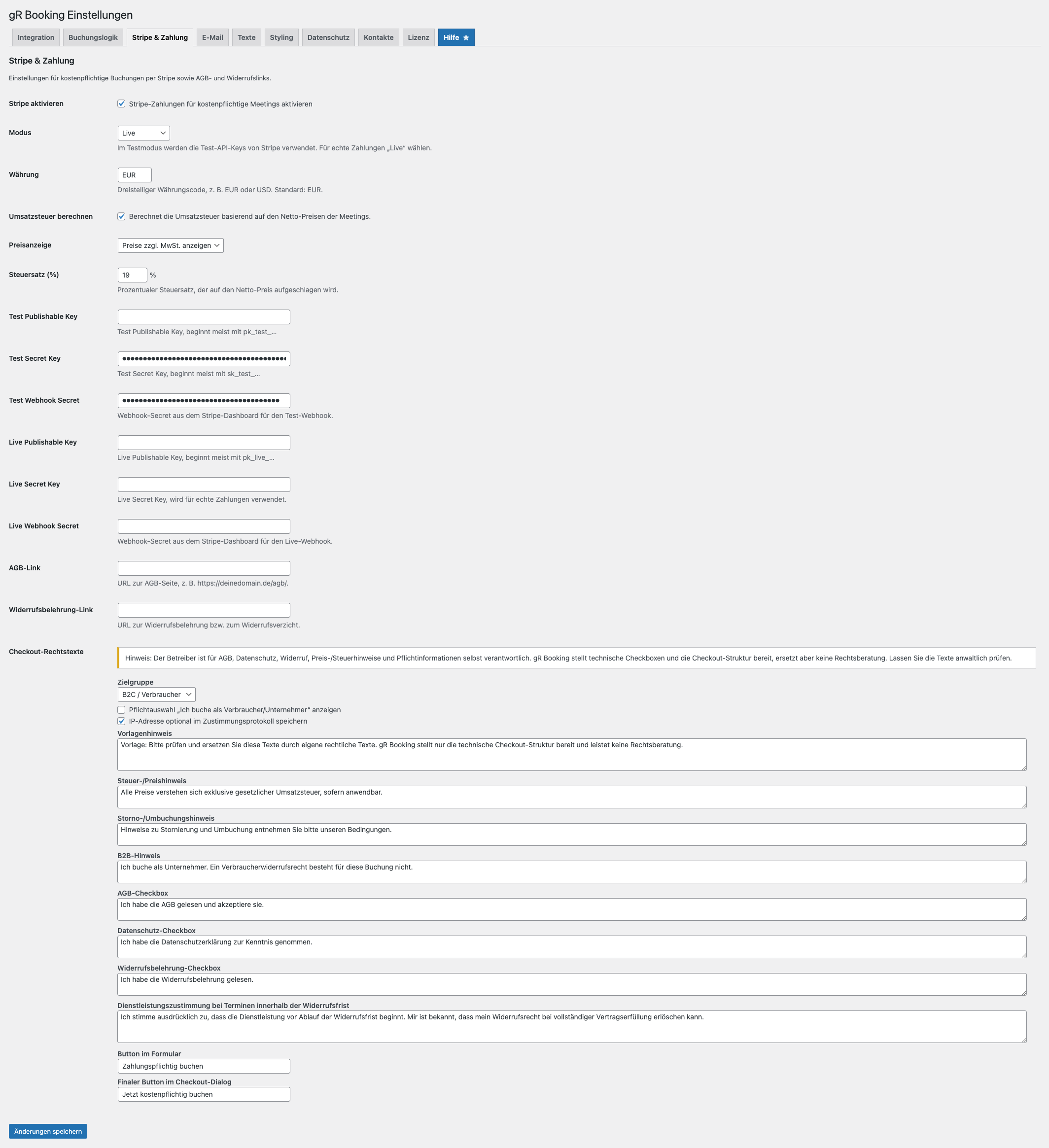
- Stripe Checkout integration
- Redirect after booking
- Associate a payment with an appointment
- Tax logic
- Currency settings
- Terms/withdrawal pop-up before payment
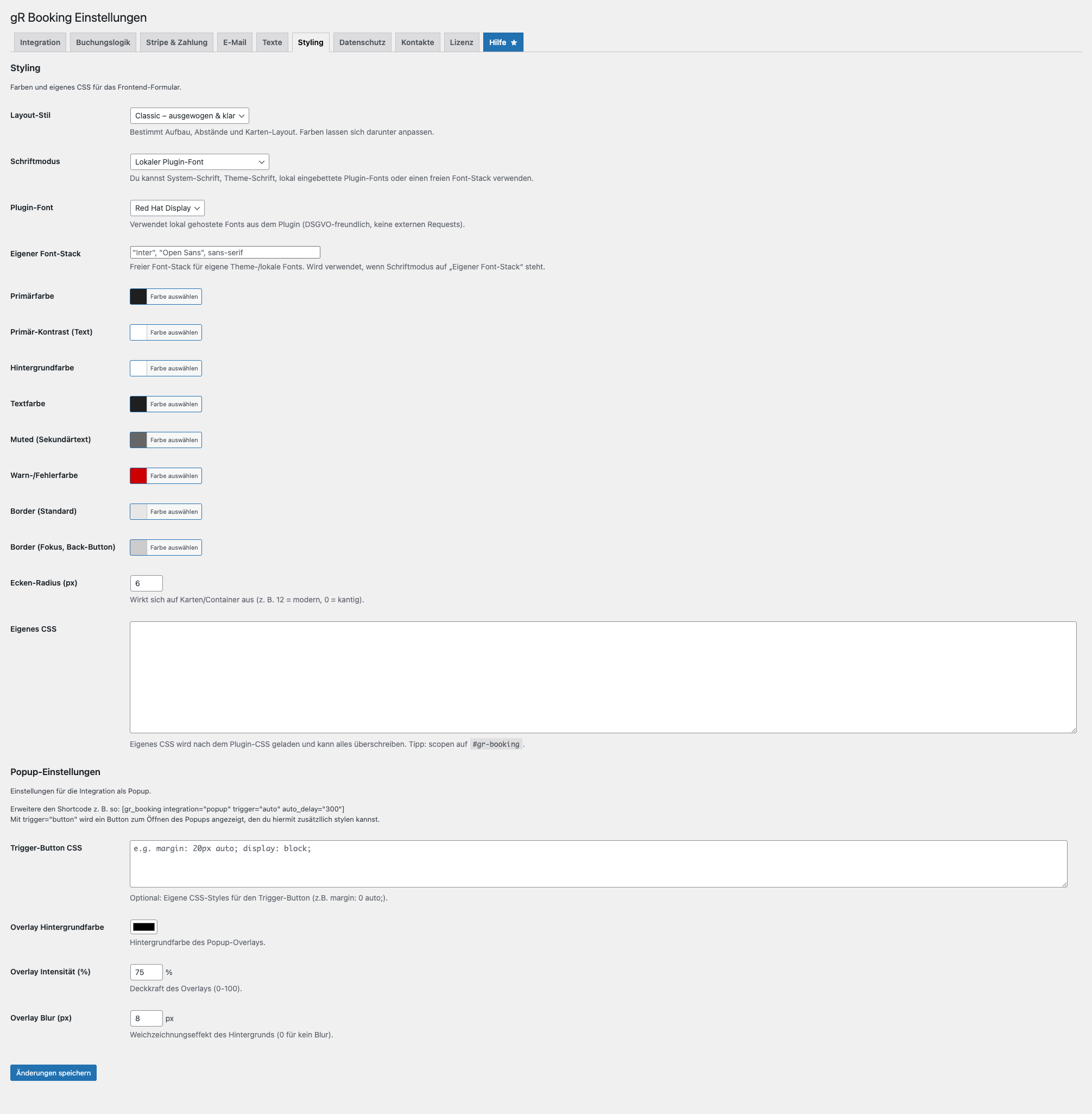
Email design & styling
- Limited design options
- Colours
- Layout
- Fonts
- Custom CSS
Multilingual support
- Text can be translated
- Multiple languages supported
Privacy Policy
- Privacy checkbox in the form
- Link to the privacy policy
- Configurable data retention
- Anonymisation and deletion supported
Note: The website operator is responsible for legal compliance.
- Bookings are stored in dedicated database tables
- Contacts are stored
- Data remains entirely on your website
Data management:
- Automatic deletion after a defined period
- Data can be anonymised

What happens when the Pro licence expires
- Pro features are disabled
- Existing settings are retained
- Data remains stored
Technical notes
- Uses its own booking logic
- Uses server-side validation
- No external API dependency required
- Integration through shortcodes
- ICS-based calendar connection
- Features may differ between versions
- Certain features depend on the licence
FAQs
Can I block availability using external calendars?
How reliable is the availability check?
Can I manage appointments manually?
Can I change or delete bookings?
How is data stored?
Can I use the system without external tools?



gRDV Booking
gRDV Messages
WordPress Plugins © 2026 - gR DV
WordPress Plugins
© 2026 - gR DV